
ReadSpeaker Pedagogical Best Practices
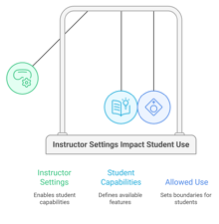
It is important to recognize that instructor settings directly impact student use of the features and capabilities of ReadSpeaker.
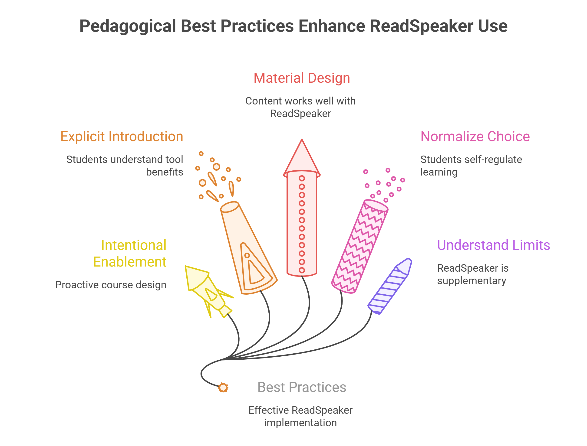
1. Enable ReadSpeaker with Intent
ReadSpeaker is most effective in courses that include:
- Regular reading or text-based materials
- Instructions, explanations, and assessments students need to interpret carefully
- Content that benefits from repeated, paced engagement
Consider enabling it proactively as part of course design rather than in response to individual requests.
2. Introduce the Tool Explicitly to Students
Students may not use ReadSpeaker unless they know why it exists and how it can help them.
Effective approaches include:
- Reference in the syllabus and mention during the first class
- A short announcement explaining when and why students might use it
- Framing it as a study and comprehension aid, not an accommodation
Example framing for students:
“ReadSpeaker is available in this course to give you flexible ways to engage with readings and instructions. You can choose to read, listen, or do both - whatever helps you learn most effectively.”
3. Design Course Materials That Work Well with ReadSpeaker
ReadSpeaker works best when content is:
- Clearly structured with headings
- Written in plain, direct language where possible
- Provided in accessible formats (HTML pages rather than scanned PDFs)
- Supported by meaningful text alternatives for images
These practices benefit all students, regardless of whether they use ReadSpeaker.
4. Normalize Choice and Self-Regulation
From a UDL perspective, instructors do not need to direct students how to use ReadSpeaker - only to ensure it is available and framed as a legitimate option for student use.
Encourage students to:
- Use listening for first exposure
- Slow down readings for comprehension
- Revisit content using audio for review
This reinforces learner autonomy and metacognitive awareness.
5. Understand What ReadSpeaker Does Not Replace
ReadSpeaker does not eliminate the need for:
- Accessible document design
- Captioning for multimedia
- Formal accommodations coordinated through accessibility services
- Clear assessment instructions and expectations
It should be viewed as supplementary support, not a compliance solution.
Summary
Enabling ReadSpeaker in a Moodle course is a pedagogical decision that supports flexibility, inclusivity, and learner agency. When framed through UDL, it becomes less about accommodating individual students and more about designing learning environments where all students can access, process, and engage with content in diverse ways.
Used intentionally, and alongside sound course design, ReadSpeaker can help lower barriers to learning while maintaining academic rigor and instructional autonomy.

This work by Kwantlen Polytechnic University (KPU) is licensed under a Creative Commons Attribution-NonCommercial 4.0 International License.