
Overview – Why Enable ReadSpeaker
ReadSpeaker is a text-to-speech and learning support tool that reads on-screen text aloud and provides complementary features such as highlighting, translation, dictionary lookup, text-only mode, focus masking, and audio download. When enabled in a Moodle course, it is available to all students in that course; it cannot be selectively enabled for individual learners.
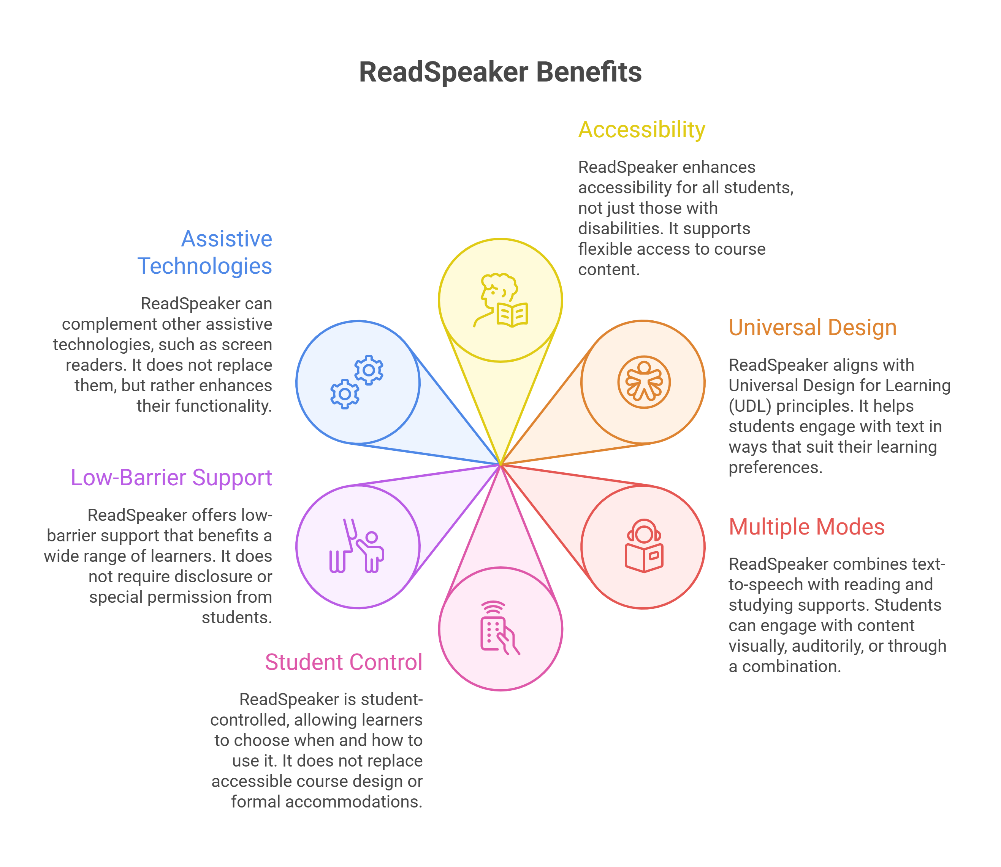
While ReadSpeaker is often associated with accessibility and accommodations, its value extends beyond that framing. From a Universal Design for Learning (UDL) perspective, ReadSpeaker supports flexible access to course content and helps students engage with text in ways that align with their individual learning preferences, contexts, and needs.
ReadSpeaker bundles robust text-to-speech functionality with personal reading, studying, and comprehension supports, allowing students to engage with course content visually, auditorily, or through a combination of both.
Importantly:
ReadSpeaker is student-controlled: learners choose whether, when, and how to use it
- It does not replace accessible course design, well-structured content, or formal academic accommodations
- It offers low-barrier support that benefits a wide range of learners without requiring disclosure or special permission
- It can complement other assistive technologies, including screen readers, rather than replace them
Why instructors may choose to enable ReadSpeaker
Instructors might consider enabling ReadSpeaker when they want to:
- Increase access to text-heavy course materials without modifying assessment standards
- Reduce cognitive load when students are navigating dense readings, complex instructions, or unfamiliar vocabulary
- Support multilingual learners, including English as an Additional Language (EAL) students
- Encourage students to engage with content in multiple modes (reading, listening, reading while listening)
- Provide flexible study options for students balancing multiple roles or learning in mobile, low-bandwidth, or fatigued contexts
- Normalize the use of learning supports by making them available to everyone in the course
What ReadSpeaker is not
It is equally important to understand ReadSpeaker’s limitations:
- It is not a screen reader and does not replace assistive technologies designed for blind or low-vision users
- It cannot read content that is not text-accessible (e.g., poorly structured PDFs, scanned documents, images without text alternatives)
- It does not automatically improve poorly written or inaccessible course materials
- Some features rely partly on mouse interaction and may be limited for keyboard-only users
ReadSpeaker should be understood as one layer of support - useful, optional, and complementary to inclusive teaching practices.

This work by Kwantlen Polytechnic University (KPU) is licensed under a Creative Commons Attribution-NonCommercial 4.0 International License.