
Q. Why is the Alt-text for my images not being read?
The Alt-text for images only works when you play from the top of the page. If you highlight a specific section or select a particular paragraph to play, ReadSpeaker may skip the image's alternative text. To ensure all visual descriptions are included in the audio, always start playback from the beginning of the article.
Q. Does the plugin work with H5P-content?
No, the plugin cannot be used to read H5P-content.
Q. Can I change the reading speed?
Yes. You can adjust the reading speed and the voice within the ReadSpeaker settings menu located on the player toolbar.
Q. Does ReadSpeaker work on mobile devices?
Yes, ReadSpeaker is fully responsive and works on most modern mobile browsers.
Q. A word or acronym is being pronounced incorrectly. Can this be fixed?
Yes. If you find a specific technical term or acronym that sounds wrong, please submit a TDX ticket.
Q. Which are the supported document formats in docReader?
- Microsoft Excel (.xls, .xlsx)
- Microsoft PowerPoint (.pps, .ppt, .pptx)
- Microsoft Word (.doc, .docx)
- Portable Document Format (.pdf)
Q. I don't want to enable ReadSpeaker in a specific activity. How to disable it?
There are two ways to disable ReadSpeaker for specific activities in Moodle.
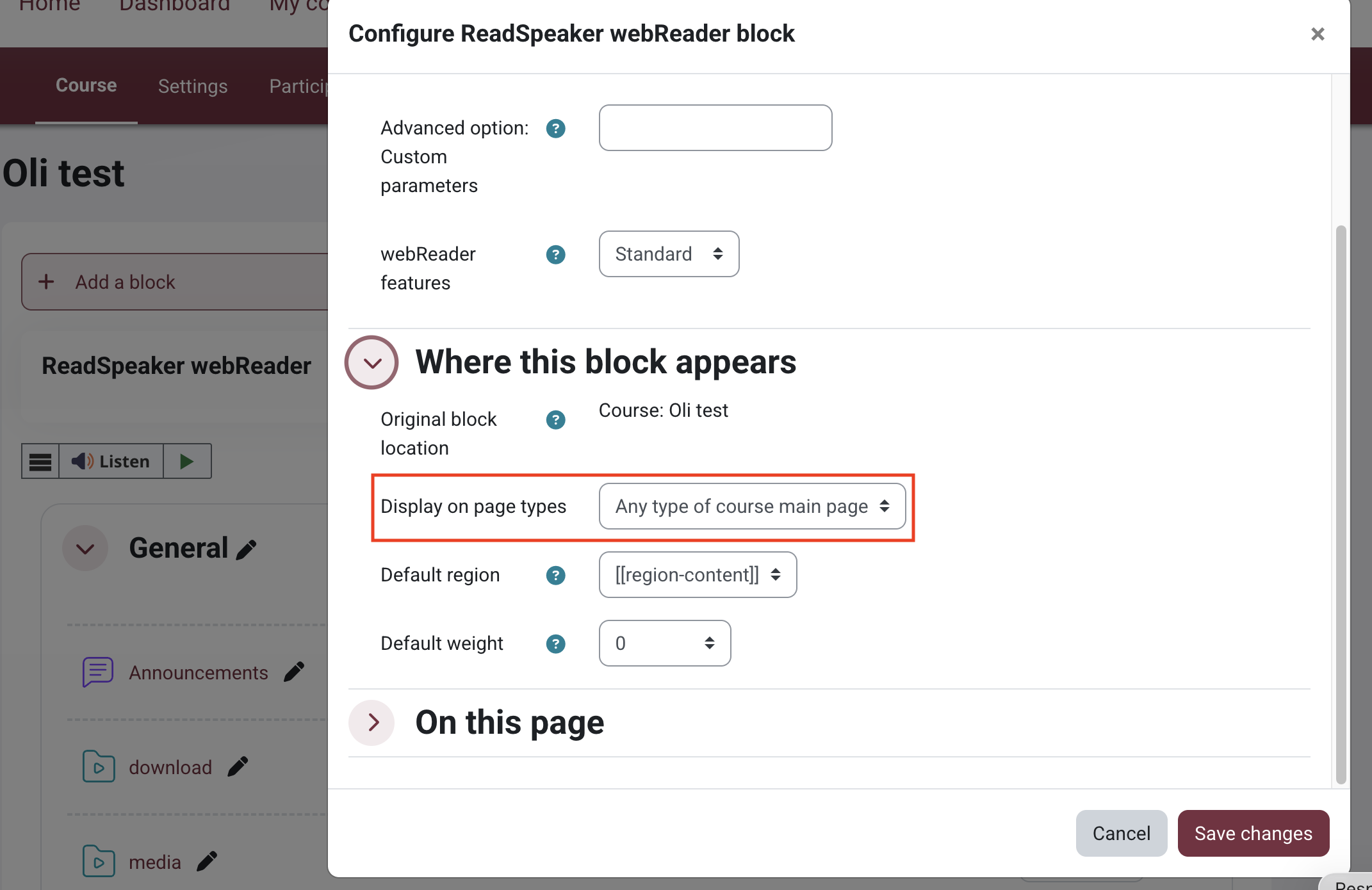
Option 1: Enable ReadSpeaker Only on the Course Main Page
This approach ensures that ReadSpeaker is available only on the course homepage and does not appear within individual activities or resources.
Turn edit mode on > click three dots next to ReadSpeaker block > expand "Where this block appears" and change the display on page types to "Any type of course main page".
Option 2: Remove the ReadSpeaker Block from a Specific Activity
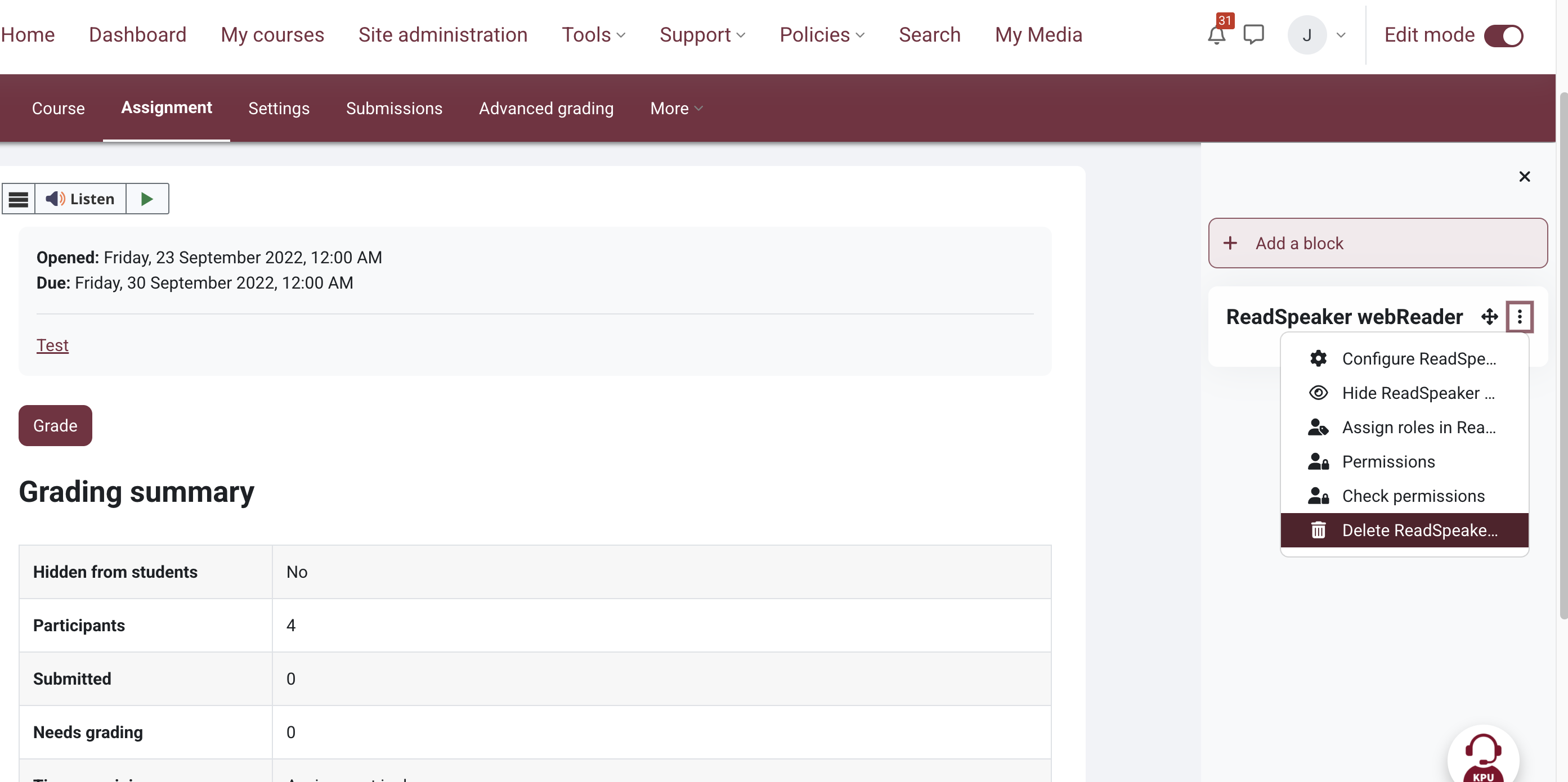
If ReadSpeaker has been configured to appear on all pages, you can disable it for a specific activity by removing the ReadSpeaker block from that activity.
Navigate to the activity where you would like to disable ReadSpeaker > Turn Edit mode on > Click the three dots next to the block > Select Delete ReadSpeaker block.

This work by Kwantlen Polytechnic University (KPU) is licensed under a Creative Commons Attribution-NonCommercial 4.0 International License.