
ReadSpeaker allows you to set the reading language and reading voice. This article explains the differences between the two.
Reading Language: The language and dialect for the language being read.
Reading Voice: Regional accents, speaker persona.
Changing Reading Language
1. Turn Edit mode On

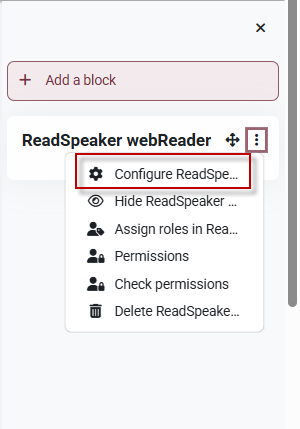
2. Click the 3 dots to the right of the ReadSpeaker Block and click Configure ReadSpeaker.
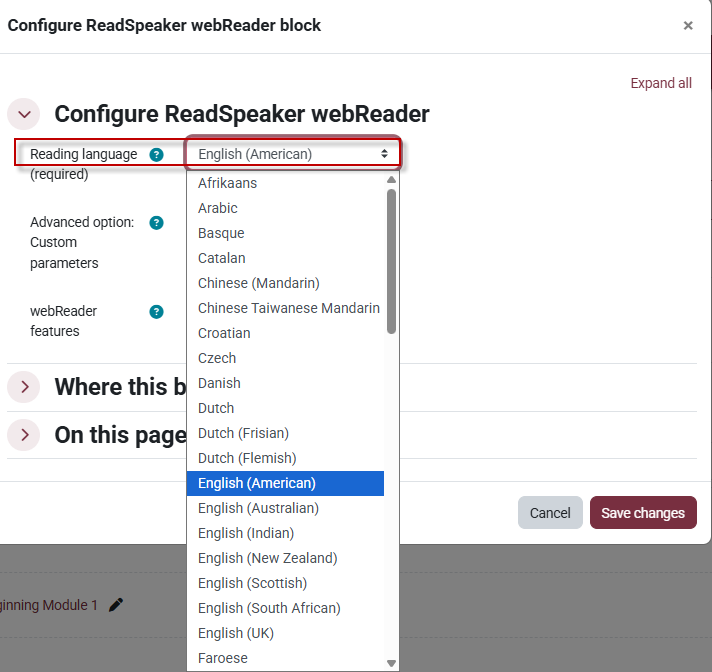
3. Under Configure ReadSpeaker, select the Reading language from the drop-down menu.
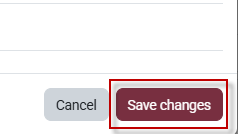
4. At the bottom of the menu click save changes.
Changing Reading Voice
Note: Reading voice does not require editing mode to be enabled.
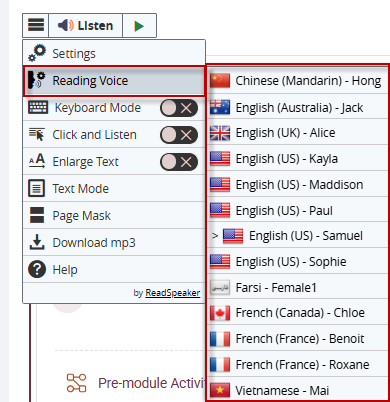
1. Click the 3 lines to the left of the ReadSpeaker.

2. Select Reading voice and select the voice.

This work by Kwantlen Polytechnic University (KPU) is licensed under a Creative Commons Attribution-NonCommercial 4.0 International License.