
This article explains how to add external tools (LTI) to your course. Please follow the instructions below:
- Go to your course in Moodle
- From the top header, click More and choose LTI External tools
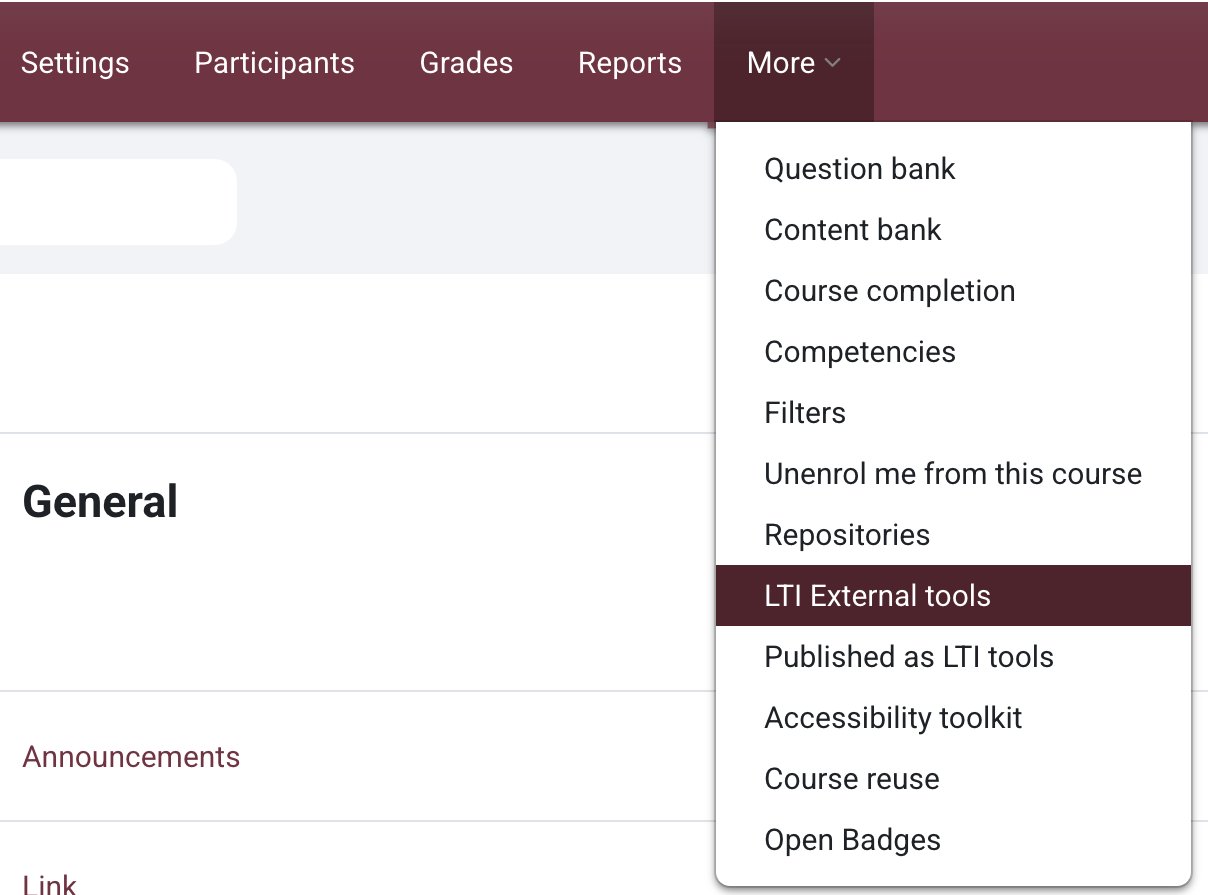
- You will see a list of available external tools. Toggle ON the tool(s) you plan to use in your course

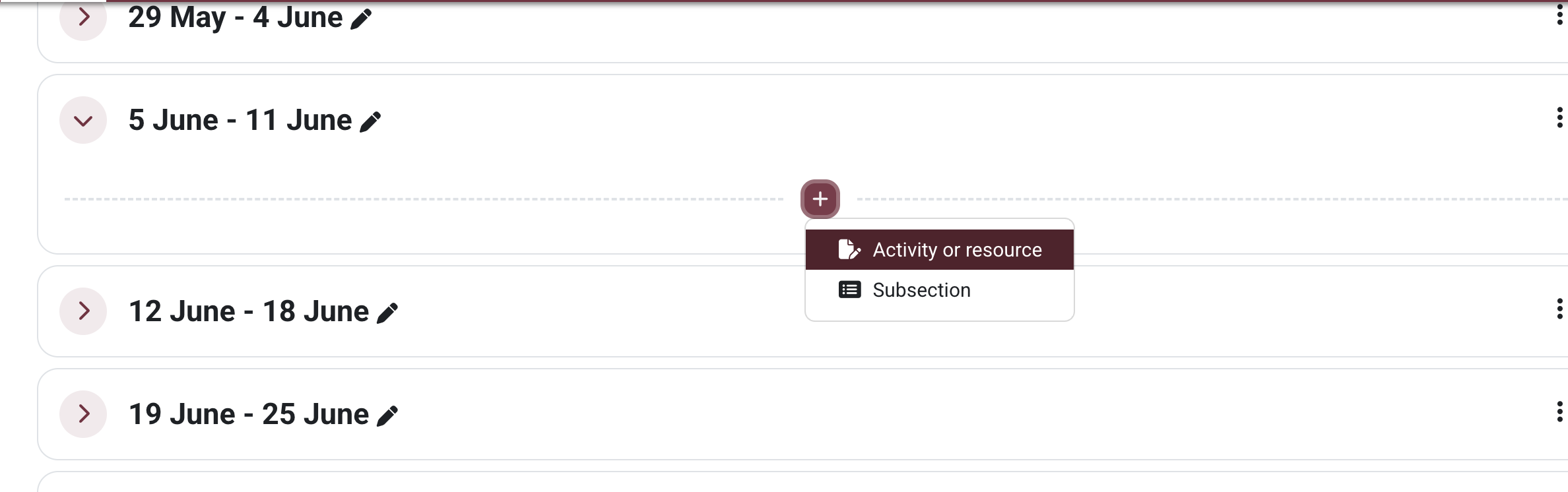
- Once enabled, return to your course main page then click Add an activity or resource
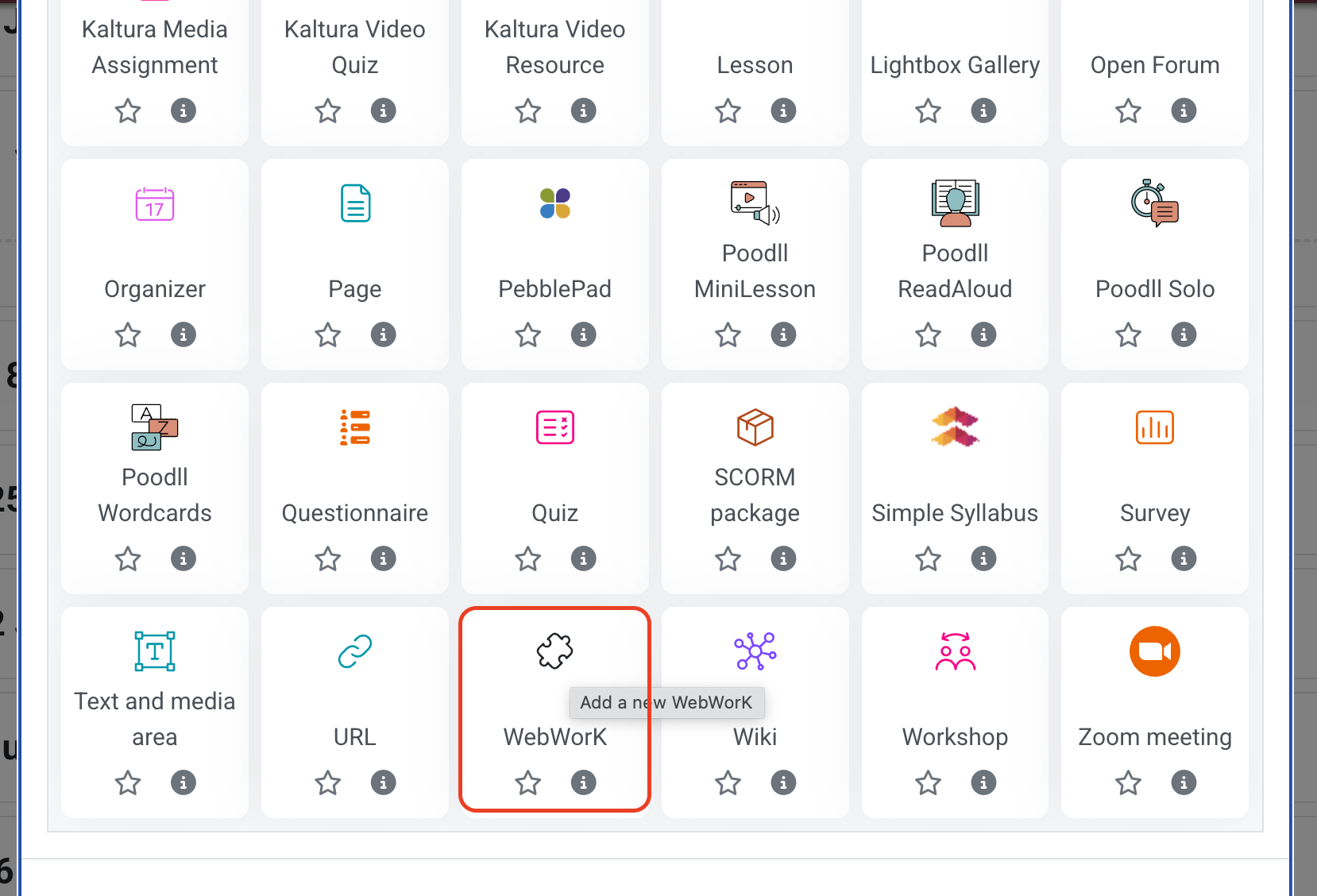
- Select the external tool that you just toggled on and configure any remaining setting as needed and save

This work by Kwantlen Polytechnic University (KPU) is licensed under a Creative Commons Attribution-NonCommercial 4.0 International License.