
Moodle 4.5 introduces a new bulk edit feature that allows instructors to manage multiple course activities at once quickly. This streamlines tasks such as moving, hiding, or duplicating items. This article will guide you through how to use the bulk editing feature.
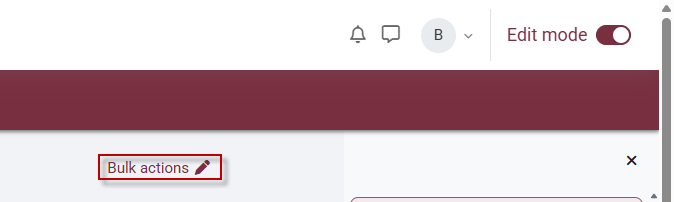
1. In your Moodle course, turn Edit mode On from the top right corner of your course.

2. At the top of the content page, click Bulk actions.
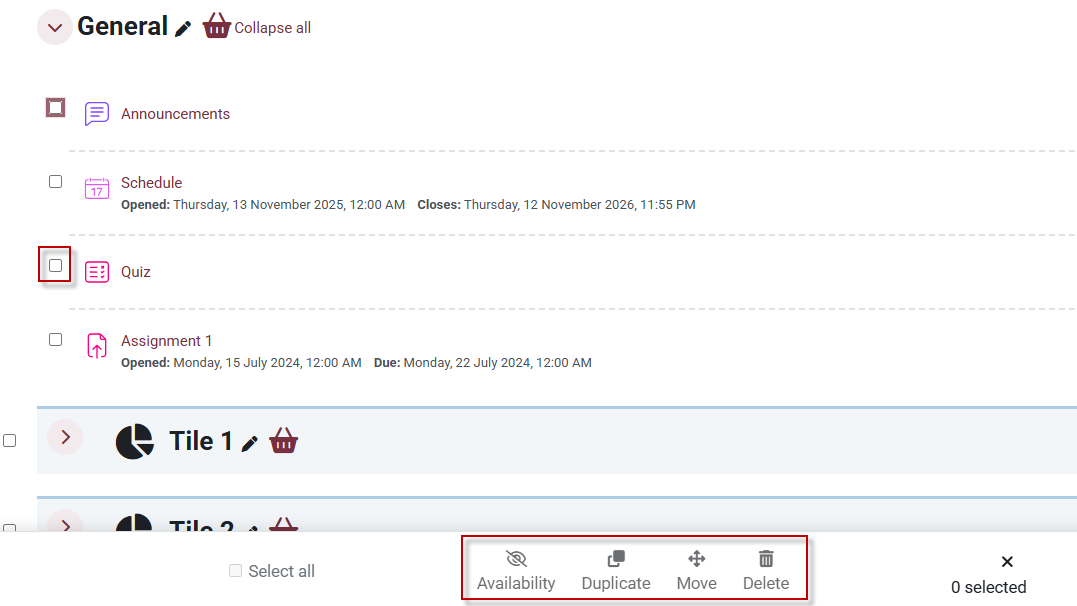
3. Check off the boxes to the left of the items that you would like to edit in bulk and use the options at the bottom of the screen.

This work by Kwantlen Polytechnic University (KPU) is licensed under a Creative Commons Attribution-NonCommercial 4.0 International License.