
The Assignment activity has been enhanced to provide a more consistent and efficient grading experience. The submission page has been redesigned to make it simpler and more intuitive for both instructors and students. These updates streamline assignment management, allowing instructors to grade more efficiently with improved filtering options, fewer clicks, and easier navigation.
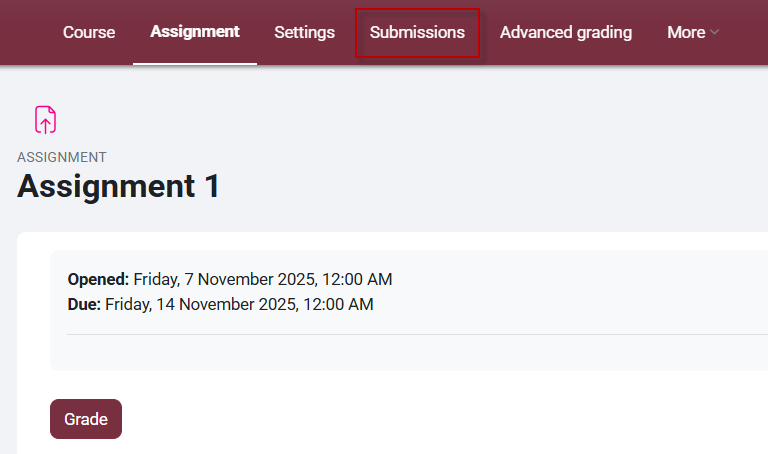
1. From your course, click on the assignment you want to grade.
2. From the Red Navigation Menu, click Submissions.
Quick Grading:
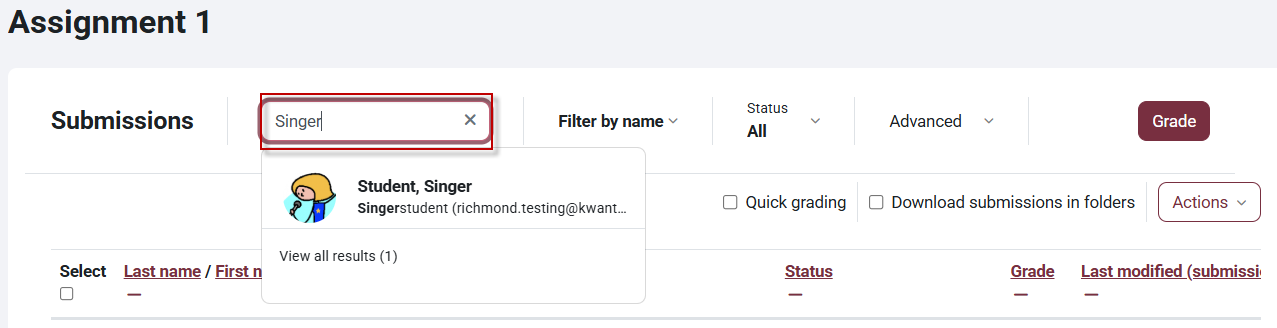
3. At the top of the Submissions page, type the student's name in the search box to search for the student you would like.
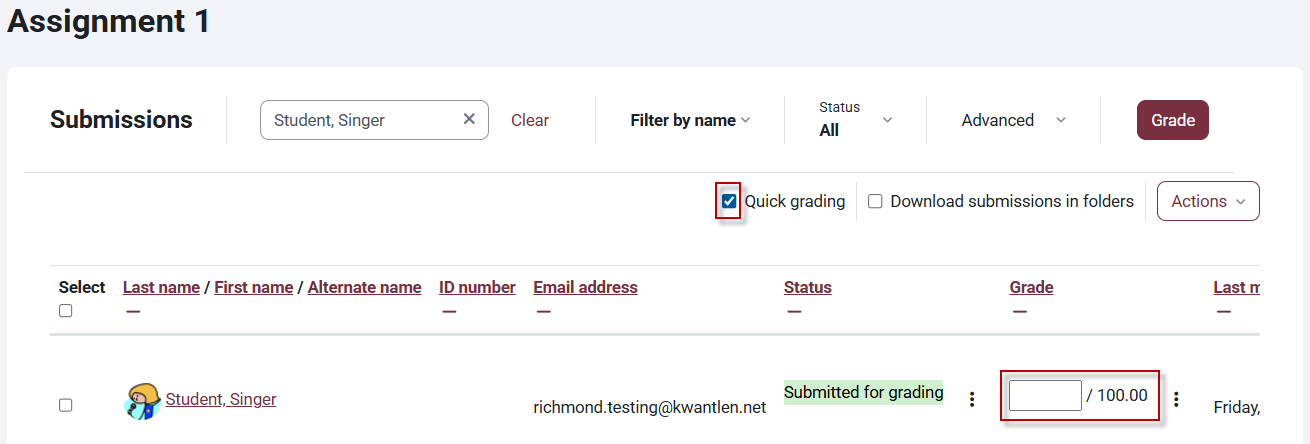
4. To enable quick grading, check off the Quick grading box on the right under the Search box.
Filter by Name:
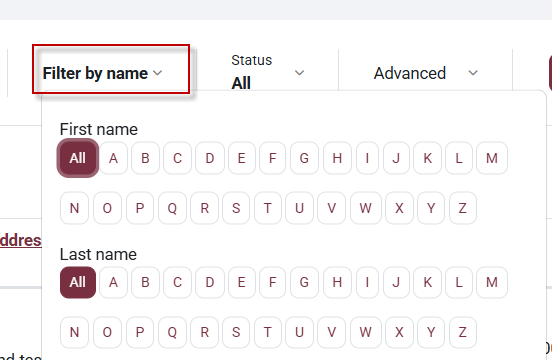
5. To the right of the Search box, filter by name.
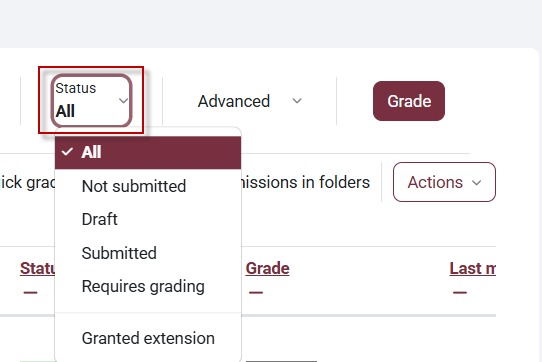
Filter by Status:
6. Click on Status to filter by submission status.
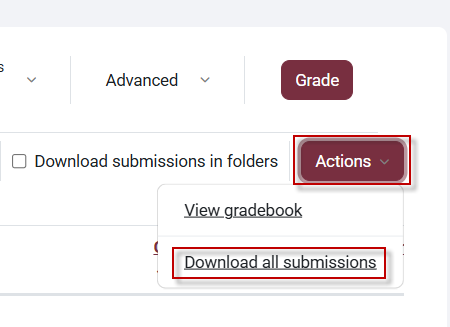
Download All Submission:
6. Download all submissions by clicking the Actions button and clicking Download all submissions.

This work by Kwantlen Polytechnic University (KPU) is licensed under a Creative Commons Attribution-NonCommercial 4.0 International License.