
The Moodle 4.5 upgrade introduces a range of new features and refinements which enhances course structure with improved navigation options and simplifies workflows for instructors through clearer layouts and editing capabilities. Here’s the overview of the key features and improvements arriving with the Moodle 4.5 upgrade. Click on each point to learn more about these key changes.
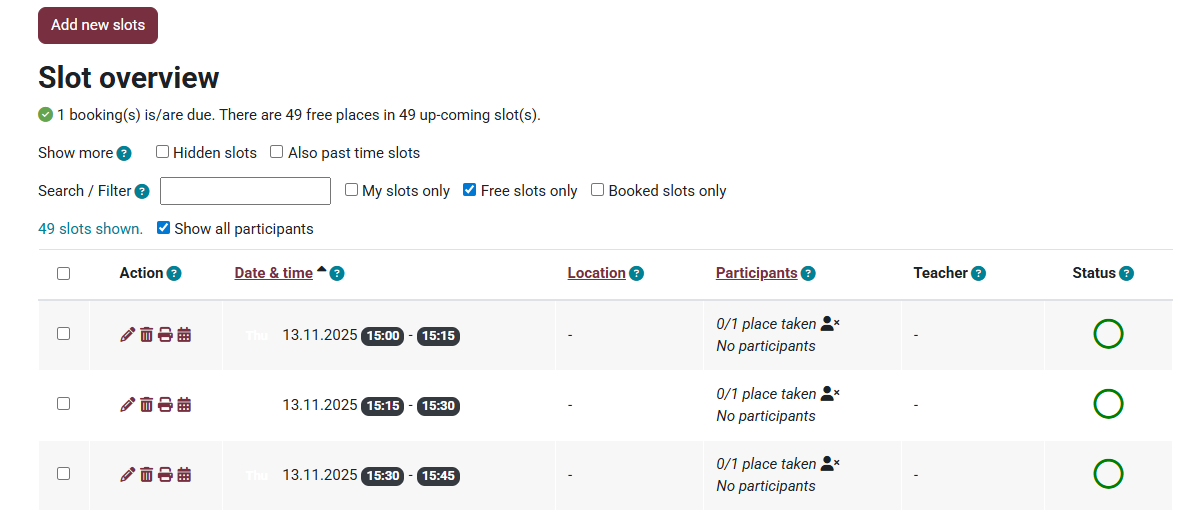
1. Introducing Organizer - Say bye to Scheduler
Organizer will replace the Scheduler in Moodle 4.5. Moodle’s Organizer helps instructors schedule appointments with their students. It supports both individual and group bookings, offering flexibility in how appointments are managed. Click here to learn more.
2. Subsections
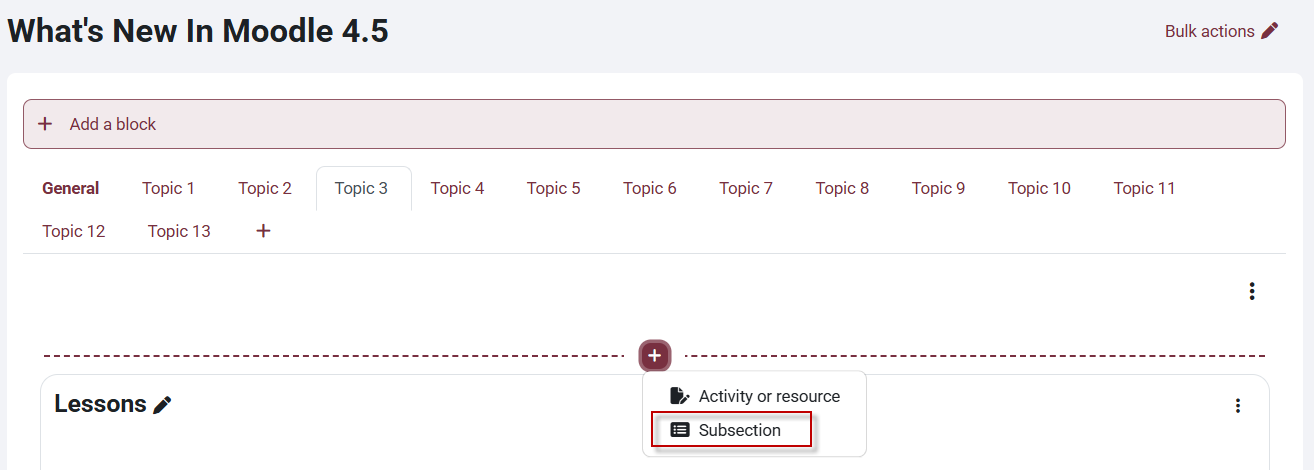
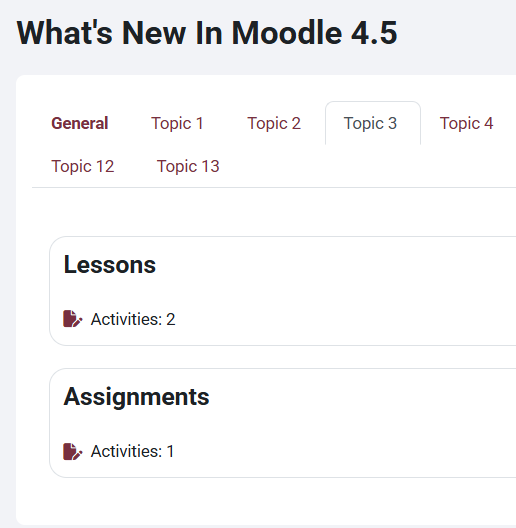
Moodle 4.5 Subsections are regular sections that can be added anywhere in your course. They allow instructors to break large weekly or topic sections into smaller, structured parts — reducing scrolling, improving clarity, and keeping activities grouped by purpose. Click here to learn how to add Subsections.
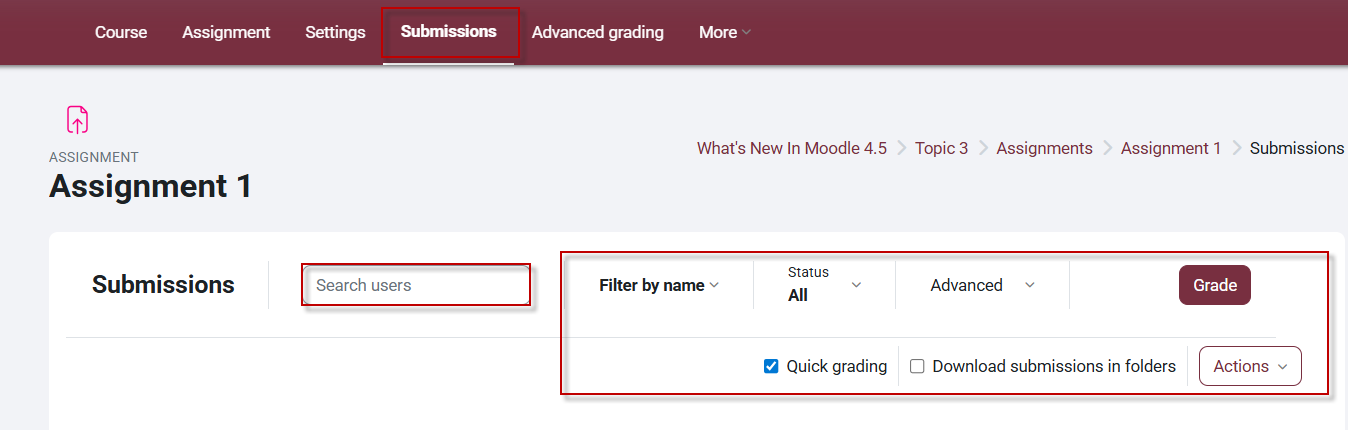
3. Improved Submission Page
The assignment submission page has been improved and can be accessed directly from the activity navigation menu. From the submission page, you can enable quick grading, search for users, and apply filters more easily. It streamlines the grading process and makes it more efficient. Click here to learn more.
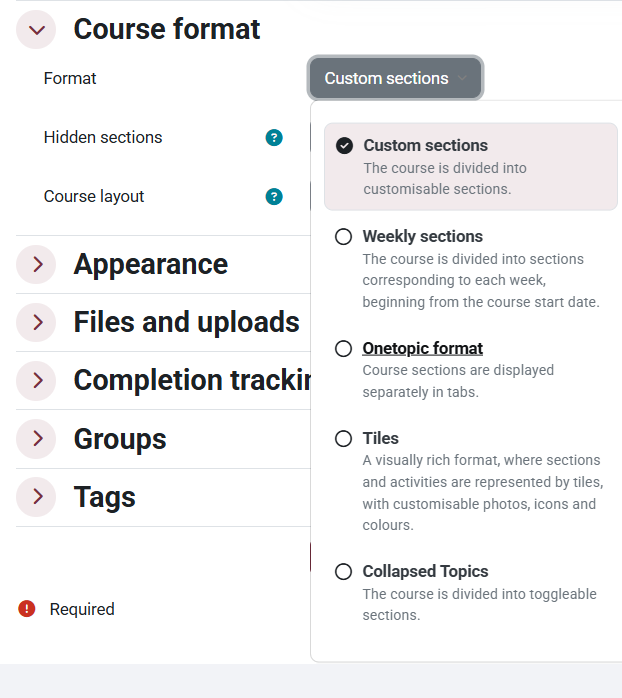
4. New Custom Sections Format
The Topics format is now called the Custom Sections format. It allows instructors to structure their courses in the way that best suits their needs.
5. Content Availability Change
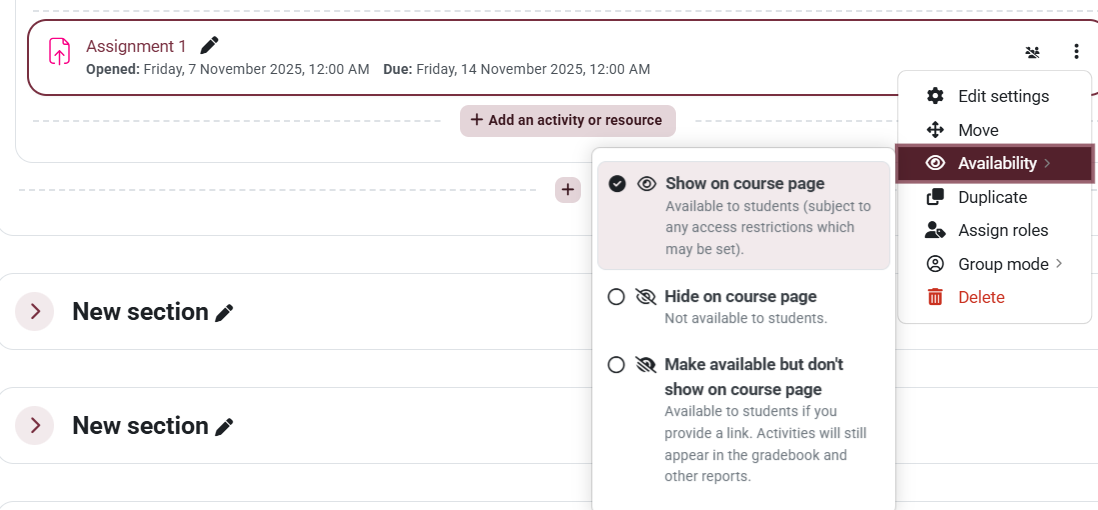
Changing the availability of course content has improved, allowing you to switch easily between hiding and showing and even making content available but not seen. Click here to learn more.
6. OneTopic Tab Editing Improvements
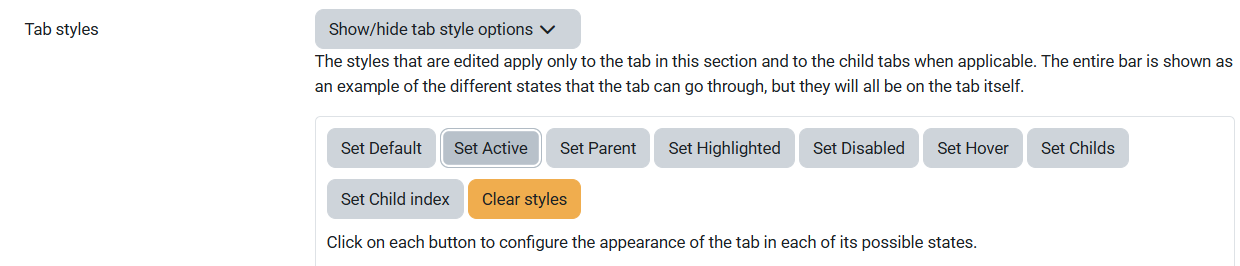
Tab customization has never been easier. Set your tab styles tab by tab, adjusting the styles to create a more dynamic experience. Click here to learn more.
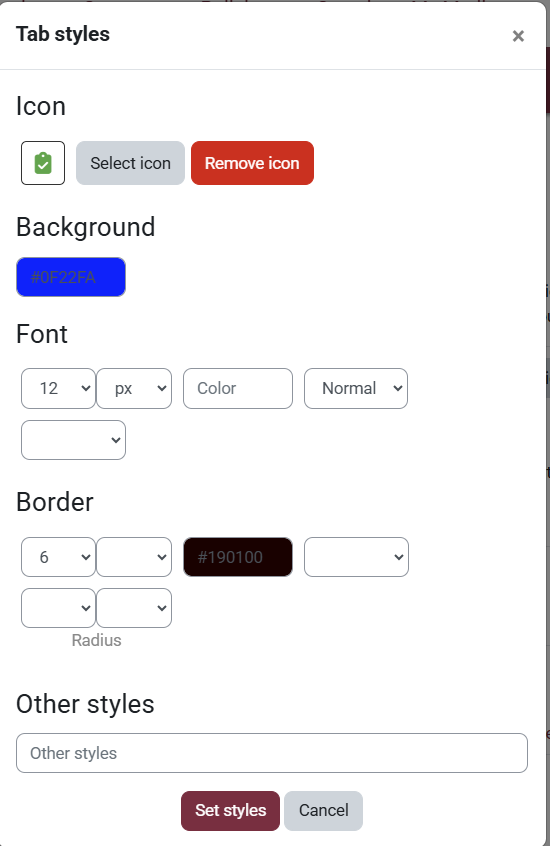
Configure the appearance of each tab in all possible states, helping to create a dynamic experience.
7. Bulk Editing
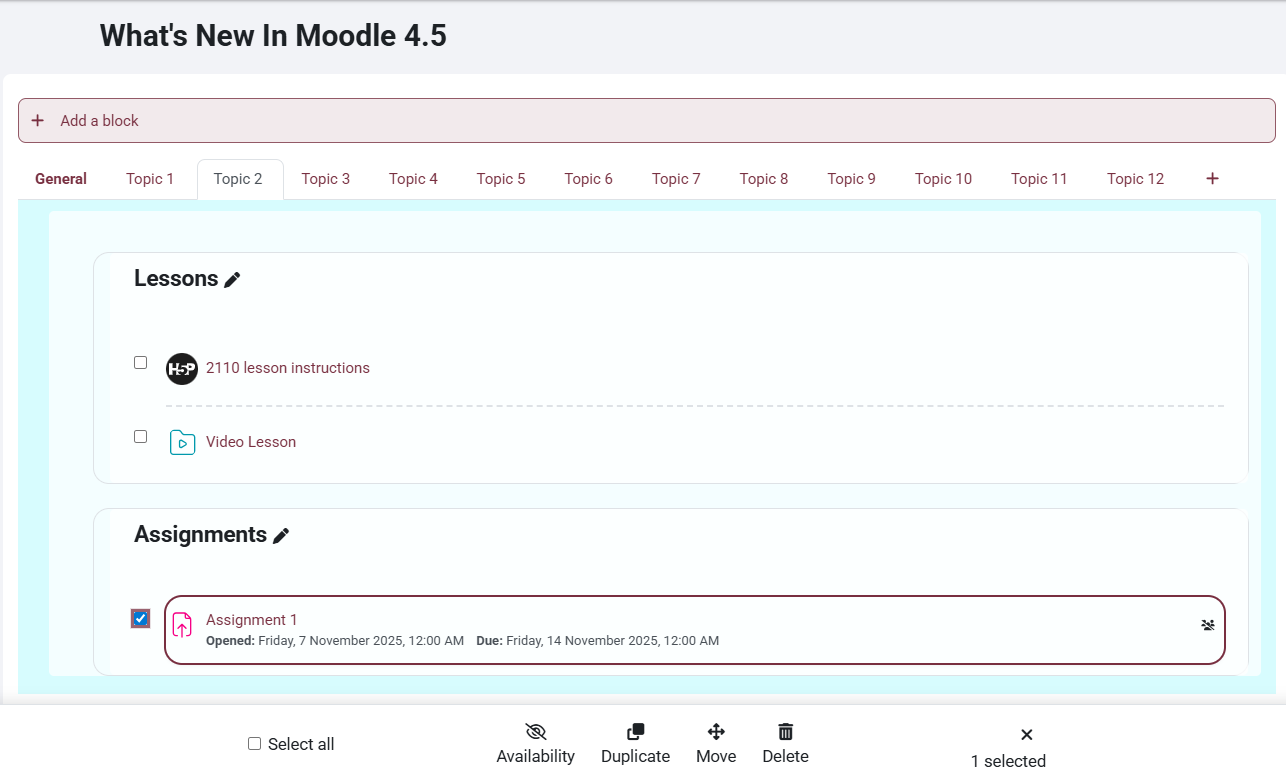
Moodle 4.5 introduces a new bulk edit feature that enables instructors to manage multiple course elements simultaneously. This streamlines tasks such as moving, hiding, or duplicating items. Click here to learn more.
8. Accessibility Enhancement
Links now open in the same tab by default, supporting accessibility best practices by providing a more user-friendly experience.
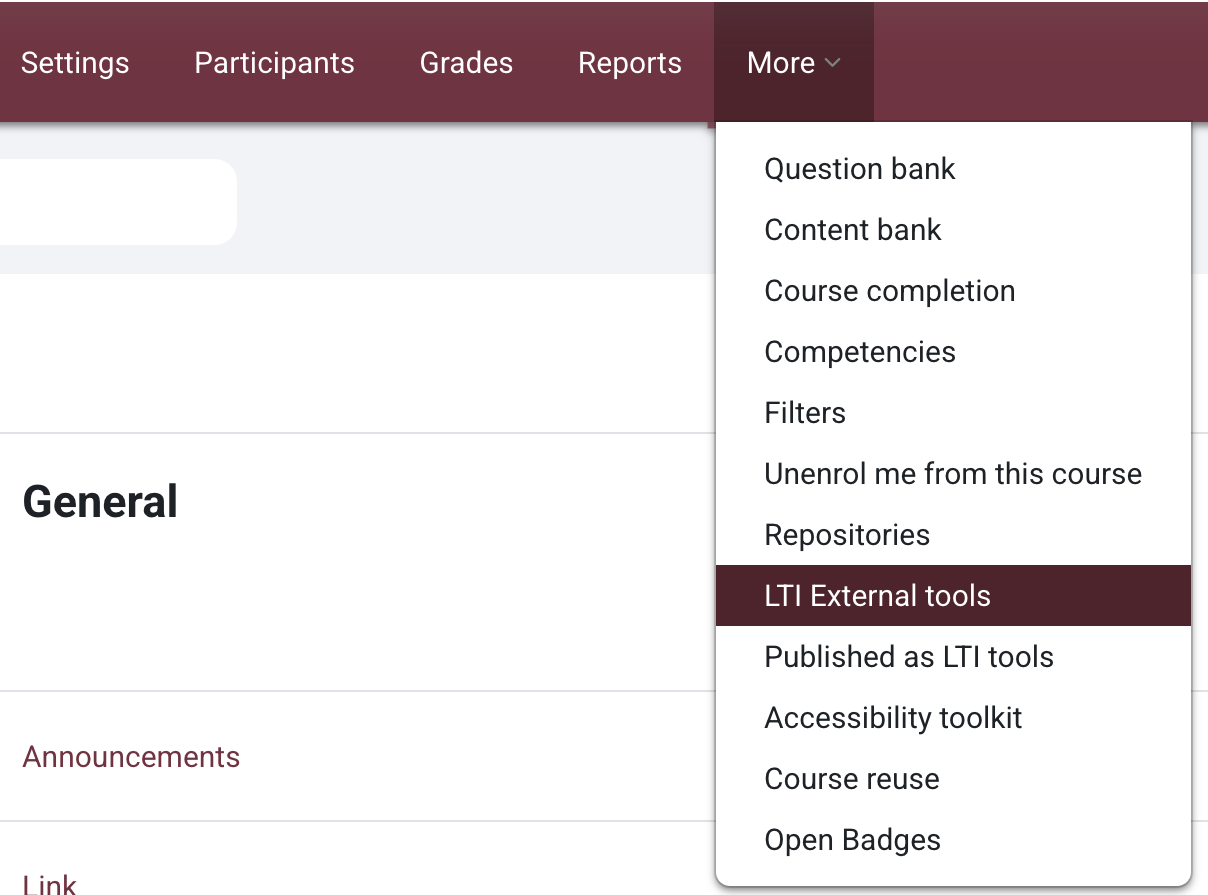
9. Adding External Tools

This work by Kwantlen Polytechnic University (KPU) is licensed under a Creative Commons Attribution-NonCommercial 4.0 International License.